
AI Invoice Processing Architecture: How Enterprise Finance Automation Works End to End
How modern enterprises combine document AI, intelligent extraction, validation, 3-way matching, human-in-the-loop controls, and ERP integration to build reliable invoice processing systems.
Varixen Editorial Team
Enterprise Architecture & AI Advisory
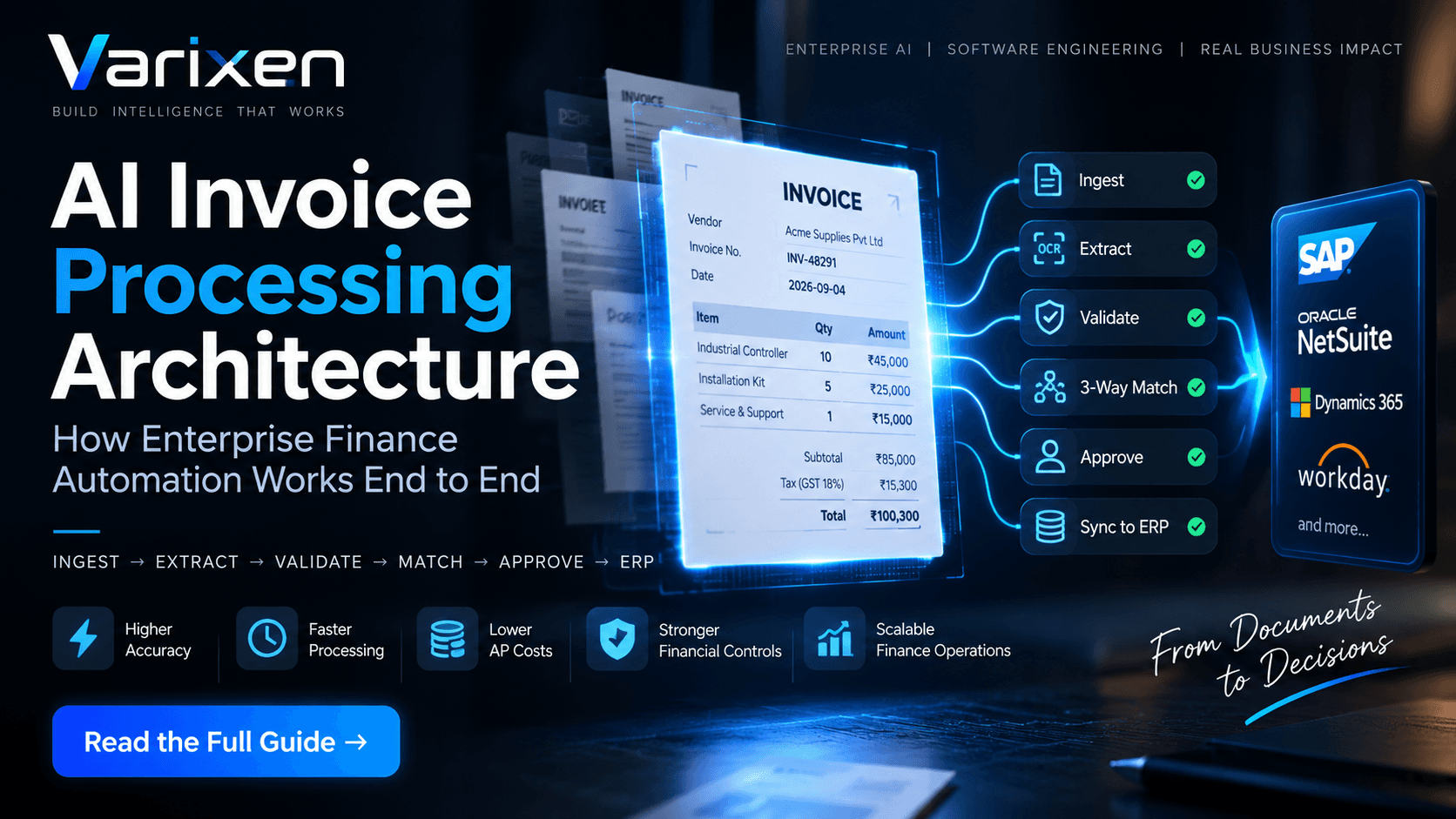
AI Invoice Processing Architecture: How Enterprise Finance Automation Works End to End
From document ingestion and multimodal extraction to validation, 3-way matching, human-in-the-loop review, and ERP synchronization—an architectural guide to building production-grade AI invoice processing systems.
Finance & Accounting · 14 min read
Executive Summary
Invoice processing becomes an architectural challenge when an organization handles thousands of invoices across multiple vendors, subsidiaries, currencies, document formats, procurement systems, and enterprise resource planning platforms.
An invoice may arrive as:
- A digitally generated PDF
- A scanned paper document
- An email attachment
- A supplier portal submission
- An EDI transaction
- A multi-page invoice with complex line-item tables
Extracting text from these documents is only the beginning.
A production-grade AI invoice processing system must understand the document, extract structured financial information, validate accounting data, identify duplicates and anomalies, reconcile invoices against purchase orders and receiving records, route exceptions for approval, and synchronize approved transactions with the ERP.
The architecture therefore looks less like:
Invoice → OCR → Spreadsheet
`
and more like:
Invoice
   ↓
Document Ingestion
   ↓
Document Understanding
   ↓
Structured Extraction
   ↓
Validation
   ↓
2-Way / 3-Way Matching
   ↓
Risk & Exception Evaluation
   ↓
Human Review / Automated Approval
   ↓
ERP Synchronization
   ↓
Accounting & Payment Workflow
   ↓
Audit & Continuous Optimization
This distinction is important.
AI should not simply make invoice data available faster.
It should help transform an unstructured financial document into a validated, traceable, enterprise transaction.
For organizations exploring a broader AI solution for Finance, Accounting & FinOps, invoice automation can become the foundation for intelligent accounts payable, reconciliation, financial close, anomaly detection, and cash-flow intelligence.
Table of Contents
- 1
- 2
- 3
- 4
- 5
- 6
- 7
- 8
- 9
- 10
- 11
- 12
- 13
- 14
- 15
- 16
- 17
- 18
- 19
- 20
1. Why AI Invoice Processing Is an Architecture Problem
Accounts payable sits at the intersection of finance, procurement, vendors, receiving, approvals, ERP systems, and payment operations.
That makes invoice processing a distributed enterprise workflow rather than a simple document-processing task.
A typical transaction can move through:
Vendor
   ↓
Email / Portal / EDI / Scanner
   ↓
Invoice Processing
   ↓
Purchase Order
   ↓
Goods Receipt
   ↓
Validation
   ↓
Approval
   ↓
ERP
   ↓
General Ledger
   ↓
Payment
Every transition introduces potential failure points.
Examples include:
- Incorrect invoice extraction
- Missing purchase-order references
- Duplicate submissions
- Quantity discrepancies
- Incorrect tax calculations
- Pricing mismatches
- Unauthorized vendors
- Approval delays
- ERP API failures
- Incorrect GL coding
- Insufficient audit evidence
Traditional OCR solves only one part of this problem.
It converts pixels into characters.
Enterprise finance automation needs to go much further.
The system needs to understand that:
INV-90821is an invoice number,
while:
PO-48192is a purchase order reference.
It needs to distinguish:
Quantity: 25
Unit Price: ₹4,500
Line Total: ₹112,500
from unrelated numbers appearing elsewhere on the document.
It must then determine whether the extracted transaction is valid according to the organization's financial controls.
This is why modern invoice automation combines AI, deterministic software, workflow orchestration, enterprise integration, security, and human governance.
2. OCR vs. AI Invoice Processing
Traditional OCR typically follows:
Document
   ↓
Image Processing
   ↓
OCR
   ↓
Raw Text
   ↓
Manual Processing
An enterprise AI invoice processing architecture can instead follow:
Document
   ↓
Classification
   ↓
Layout Understanding
   ↓
Field Extraction
   ↓
Confidence Scoring
   ↓
Financial Validation
   ↓
Duplicate Detection
   ↓
PO / GRN Matching
   ↓
Risk Evaluation
   ↓
Approval Routing
   ↓
ERP Posting
The difference is not simply the use of a larger AI model.
The difference is the architecture surrounding the model.
| Capability | Traditional OCR | Enterprise AI Processing |
|---|---|---|
| Document ingestion | Limited | Multi-channel |
| Layout understanding | Basic | Vision + semantic understanding |
| Vendor templates | Often required | Can support layout variation |
| Line-item extraction | Fragile on complex tables | Context-aware extraction |
| Accounting validation | External/manual | Integrated rules engine |
| Duplicate detection | Basic | Multi-factor detection |
| 3-way matching | Usually external | Integrated workflow |
| Exception management | Manual | Intelligent routing |
| ERP integration | Batch/manual | API-based synchronization |
| Auditability | Limited | End-to-end event trail |
| Human review | Broad manual review | Targeted exception review |
For organizations that require domain-specific models, document intelligence, or complex financial workflows, Varixen's AI Development Services provide the underlying AI engineering capabilities needed to build production systems rather than isolated AI prototypes.
3. Enterprise AI Invoice Processing Architecture
A production-grade architecture can be organized into several logical layers.
┌──────────────────────────────┐
                         │       Invoice Sources        │
                         │                              │
                         │ Email • Portal • EDI • SFTP  │
                         │ Scanner • API • Cloud Storage│
                         └──────────────┬───────────────┘
                                        │
                                        ▼
                         ┌──────────────────────────────┐
                         │      Ingestion Gateway        │
                         │                              │
                         │ Classification                │
                         │ File Validation               │
                         │ Metadata Capture              │
                         │ Deduplication                │
                         └──────────────┬───────────────┘
                                        │
                                        ▼
                         ┌──────────────────────────────┐
                         │      Document AI Layer        │
                         │                              │
                         │ OCR                          │
                         │ Layout Understanding         │
                         │ Field Extraction             │
                         │ Table Extraction             │
                         │ Confidence Scoring           │
                         └──────────────┬───────────────┘
                                        │
                                        ▼
                         ┌──────────────────────────────┐
                         │     Validation Engine         │
                         │                              │
                         │ Arithmetic Validation         │
                         │ Vendor Validation             │
                         │ Tax Validation                │
                         │ Policy Validation             │
                         └──────────────┬───────────────┘
                                        │
                                        ▼
                 ┌─────────────────────────────────────────────┐
                 │          Reconciliation Engine              │
                 │                                             │
                 │ Purchase Orders                             │
                 │ Goods Receipts                              │
                 │ Vendor Master                               │
                 │ Contract Pricing                             │
                 │ ERP Sub-Ledger                               │
                 └─────────────────────┬───────────────────────┘
                                       │
                                       ▼
                         ┌──────────────────────────────┐
                         │      Decision Layer          │
                         │                              │
                         │ Auto Process                 │
                         │ Exception Queue              │
                         │ Human Approval               │
                         │ Escalation                   │
                         └──────────────┬───────────────┘
                                        │
                                        ▼
                         ┌──────────────────────────────┐
                         │      ERP Integration          │
                         │                              │
                         │ SAP • NetSuite • Dynamics    │
                         │ Workday • Custom ERP         │
                         └──────────────┬───────────────┘
                                        │
                                        ▼
                         ┌──────────────────────────────┐
                         │   GL / Accounting / Payment   │
                         └──────────────────────────────┘
─────────────────────────────────────────────
Security • Audit • Observability
Governance • Monitoring • MLOps
─────────────────────────────────────────────
`
This architecture separates probabilistic AI processing from deterministic financial controls.
That separation is critical.
4. The End-to-End Processing Pipeline
A useful way to think about enterprise invoice automation is:
1. Ingest
   ↓
2. Understand
   ↓
3. Extract
   ↓
4. Validate
   ↓
5. Reconcile
   ↓
6. Decide
   ↓
7. Post
   ↓
8. Monitor
Each stage should have a clearly defined responsibility.
The system should also maintain transaction state throughout the lifecycle.
For example:
RECEIVED
   ↓
CLASSIFIED
   ↓
EXTRACTED
   ↓
VALIDATED
   ↓
MATCHED
   ↓
APPROVED
   ↓
POSTING
   ↓
POSTED
   ↓
PAYMENT_READY
If a failure occurs, the transaction should move into a recoverable state rather than disappearing from the workflow.
5. Stage 1: Multi-Channel Invoice Ingestion
Enterprise invoices rarely arrive through one channel.
Common sources include:
- Dedicated AP email accounts
- Supplier portals
- EDI
- SFTP
- Cloud object storage
- Scanners
- Procurement systems
- REST APIs
The ingestion layer should normalize these sources into a consistent internal representation.
Email
Portal
EDI
Scanner
API
SFTP
   │
   ▼
Ingestion Gateway
   │
   ├── File validation
   ├── Malware scanning
   ├── Metadata extraction
   ├── Document classification
   ├── Duplicate fingerprinting
   └── Storage
Idempotency Is Critical
Consider a vendor submitting the same invoice through:
- Email
- Supplier portal
- EDI
If the system treats every submission as a new transaction, duplicate payments become possible.
A duplicate fingerprint can combine:
Vendor ID
+
Invoice Number
+
Invoice Date
+
Invoice Amount
+
Currency
+
PO Number
A document-level cryptographic hash can provide another layer of protection.
The ingestion layer should therefore establish an immutable transaction identifier before downstream AI processing begins.
6. Stage 2: AI Document Understanding and Extraction
This is where document intelligence becomes substantially more powerful than basic OCR.
A modern invoice may contain:
- Header information
- Vendor information
- Customer information
- Tax identifiers
- Purchase-order references
- Payment terms
- Multiple line-item tables
- Discounts
- Freight
- Tax calculations
- Remittance details
- Multi-page continuation tables
A production system needs to understand both semantic meaning and document layout.
Semantic Understanding
The model needs to identify fields such as:
Invoice Number
Invoice Date
Due Date
Vendor Name
Vendor Tax ID
PO Number
Currency
Payment Terms
Subtotal
Tax
Freight
Discount
Total
Line-Item Understanding
For every line item, the system may need to extract:
SKU
Description
Quantity
Unit of Measure
Unit Price
Tax
Line Total
The result should be structured data rather than raw OCR text.
For example:
{
  "invoiceNumber": "INV-48291",
  "invoiceDate": "2026-09-04",
  "purchaseOrder": "PO-88201",
  "currency": "INR",
  "vendor": {
    "name": "ABC Industrial Supplies",
    "taxId": "GSTXXXXXXXX"
  },
  "lineItems": [
    {
      "description": "Industrial Controller",
      "quantity": 10,
      "unitPrice": 4500,
      "lineTotal": 45000
    }
  ],
  "tax": 15300,
  "total": 100300
}
But the extracted value should also carry provenance.
For important fields, a production system can maintain:
Value
Confidence
Page Number
Source Region
Extraction Model
Model Version
Timestamp
This allows reviewers to understand where an extracted value originated.
For highly visual or complex financial documents, Varixen's Multi-Modal AI Systems are particularly relevant because invoice understanding can require simultaneous analysis of text, layout, tables, and visual document structure.
7. Stage 3: Deterministic Financial Validation
One of the most important principles in enterprise AI finance systems is:
Do not delegate deterministic accounting controls entirely to an LLM.
AI is useful for understanding the invoice.
Deterministic software should enforce financial rules.
For example:
Total
=
Line Items
+
Tax
+
Freight
-
Discount
The system can independently calculate the expected total.
If:
Calculated Total ≠ Invoice Totalthe invoice should be flagged.
Vendor Validation
Does vendor exist?
Is vendor active?
Does tax ID match?
Is the vendor authorized?
Purchase Order Validation
Does PO exist?
Is PO open?
Does vendor match?
Are prices within tolerance?
Tax Validation
Is tax code valid?
Is tax rate valid?
Does tax calculation reconcile?
Policy Validation
Does amount exceed approval threshold?
Is cost center valid?
Is expense category permitted?
This creates an important separation:
AI
↓
Understand and Extract
Rules Engine ↓ Validate
Workflow Engine ↓ Route and Execute
Human
↓
Govern High-Risk Exceptions
`
8. Stage 4: 2-Way and 3-Way Matching
After extraction and validation, the invoice can be reconciled against procurement and receiving data.
2-Way Matching
The basic relationship is:
Invoice
   ↕
Purchase Order
The system can compare:
- Vendor
- PO number
- Item
- Quantity
- Unit price
- Currency
- Total
3-Way Matching
A third source is introduced:
Purchase Order
                       ↕
Invoice  ←────────→ Receiving Record
The system determines whether:
- The item was ordered
- The quantity was authorized
- The goods were received
- The invoice amount is within tolerance
- The vendor matches
- The transaction satisfies approval rules
This is the point where invoice automation becomes a genuine accounts payable workflow rather than a document extraction system.
For example:
PO Quantity:       100
Received Quantity: 100
Invoice Quantity:  100
Price: PO: ₹4,500 Invoice: ₹4,500
Result:
MATCH
`
But:
PO Quantity:       100
Received Quantity: 80
Invoice Quantity:  100
should trigger an exception.
The system should not blindly approve the invoice simply because the extracted values appear correct.
9. Stage 5: Exception Management and Human-in-the-Loop
Enterprise automation should not attempt to eliminate humans from every transaction.
Instead, it should move humans toward the transactions that actually require judgment.
A mature workflow can look like:
Invoice
   ↓
AI Extraction
   ↓
Validation
   ↓
3-Way Match
   ↓
Risk Evaluation
   ↓
 ┌─────────────────────────┐
 │ Does transaction pass?  │
 └────────────┬────────────┘
              │
        ┌─────┴─────┐
        │           │
       YES          NO
        │           │
        ▼           ▼
 Auto Process   Exception Queue
                    │
                    ▼
              Human Review
                    │
              ┌─────┴─────┐
              ▼           ▼
           Approve       Reject
Common exceptions include:
- Low extraction confidence
- Missing PO
- Price variance
- Quantity mismatch
- Invalid tax information
- Duplicate invoice
- Vendor mismatch
- Bank-account change
- Policy violation
- Approval threshold exceeded
The objective should therefore be:
Humans handle exceptions instead of processing every invoice manually.
This can significantly reduce repetitive accounting work while preserving financial controls.
10. Stage 6: ERP Integration and Synchronization
Invoice automation creates limited business value if the approved invoice still has to be manually entered into the ERP.
The integration layer should connect the AI processing workflow to the organization's financial systems.
Typical enterprise platforms include:
- SAP S/4HANA
- Oracle NetSuite
- Microsoft Dynamics 365
- Workday Financials
- QuickBooks Online
- Custom ERP platforms
A simplified architecture is:
Finance AI Platform
                           │
             ┌─────────────┼─────────────┐
             ▼             ▼             ▼
           SAP          NetSuite      Dynamics
             │             │             │
             └─────────────┼─────────────┘
                           ▼
                    General Ledger
The integration layer should support:
- Authentication
- Authorization
- Idempotency
- Retry policies
- Rate limiting
- Error handling
- Transaction reconciliation
- Status synchronization
- Audit logging
Idempotent ERP Posting
Suppose an ERP API times out after receiving an invoice.
The AI platform may not know whether the transaction was successfully created.
A naive retry could create a duplicate vendor bill.
Instead, the integration layer should use an idempotency key:
Invoice Transaction ID
+
ERP Entity
+
Operation Type
The same request can then safely be retried without creating a second financial transaction.
For organizations operating across legacy ERP environments, Enterprise Software AI Solutions can provide the architectural layer needed to connect modern AI workflows with existing ERP, database, and enterprise systems.
11. Duplicate Detection and Invoice Fraud Prevention
Duplicate invoices are a major concern in high-volume AP environments.
A simple ERP rule may check:
Vendor + Invoice NumberBut duplicate submissions are not always identical.
A supplier might submit:
INV-99481and later:
INV99481or:
INV-99481-AA stronger detection architecture can combine multiple signals.
1. Fuzzy Matching
Compare invoice identifiers using similarity algorithms.
INV-99481
INV99481
can be identified as potentially equivalent.
2. Composite Fingerprinting
Combine:
Vendor Tax ID
+
Invoice Amount
+
PO Number
+
Invoice Date
+
Line-Item Totals
3. Cross-Channel Detection
An invoice received through email should be checked against invoices previously submitted through:
- Supplier portals
- EDI
- Procurement systems
- API integrations
4. Vendor Banking Changes
A sudden change to vendor payment details should trigger enhanced verification.
For example:
Existing Bank Account
        ↓
New Bank Account Detected
        ↓
Risk Evaluation
        ↓
Dual Approval
        ↓
Payment Release
This approach combines invoice automation with broader financial risk controls.
For financial institutions and fintech organizations, these patterns can also complement broader AI solutions for fintech and financial services.
12. Where AI Agents Fit
AI agents can extend invoice automation beyond extraction and matching.
However, an agent should not replace the entire deterministic finance workflow.
Agents are particularly useful for multi-step investigation and orchestration.
Consider an invoice exception:
Invoice:
₹125,000
PO: ₹120,000
Variance:
₹5,000
`
Instead of simply sending the transaction to a human, an AI agent could investigate:
Invoice Exception Agent
        ↓
Retrieve Invoice
        ↓
Retrieve PO
        ↓
Retrieve Goods Receipt
        ↓
Check Contract Pricing
        ↓
Review Historical Vendor Transactions
        ↓
Classify Exception
        ↓
Prepare Recommendation
        ↓
Request Human Approval
Another example is vendor inquiry automation:
Vendor asks:
"What is the status of invoice INV-88291?"
Agent
↓
Find invoice
↓
Check validation status
↓
Check approval status
↓
Check ERP posting
↓
Check payment status
↓
Generate response
`
This is where Autonomous AI Agents can add value to enterprise finance workflows.
Varixen's agent architecture supports multi-step goal decomposition, enterprise API/tool integration, human-in-the-loop approval controls, execution sandboxes, and audit telemetry.
The important principle is bounded autonomy.
An agent can investigate and recommend.
High-impact financial actions should remain behind appropriate authorization and approval controls.
13. Security, Governance and Auditability
Financial documents can contain highly sensitive information:
- Vendor bank details
- Tax identifiers
- Commercial pricing
- Contract references
- Purchase information
- Employee information
- Financial transaction data
Security therefore needs to be part of the architecture from the beginning.
Identity and Access Control
Different roles may require different permissions:
AP Clerk
Finance Manager
Controller
Procurement Manager
Auditor
System Administrator
Role-based access control should ensure that users can only access the data and actions appropriate to their responsibilities.
Encryption
Sensitive information should be protected:
At Rest
+
In Transit
Audit Trail
A complete invoice lifecycle should be traceable.
The system should be able to answer:
- Who uploaded the invoice?
- When was it received?
- Which model processed it?
- What values were extracted?
- What confidence scores were assigned?
- Which validations passed?
- Which PO was matched?
- Who corrected an extracted value?
- Who approved the exception?
- When was the invoice posted to the ERP?
AI Governance
AI components should also be governed through:
- Model versioning
- Evaluation datasets
- Accuracy thresholds
- Drift monitoring
- Prompt/version management
- Access controls
- Human-review policies
- Incident management
- Data lineage
Once AI becomes part of a continuously operating financial workflow, Production MLOps & Governance becomes important for monitoring model behavior, maintaining model lineage, evaluating performance, and controlling production changes.
14. Production Deployment Architecture
A production environment should separate document processing, AI inference, workflow execution, integrations, and observability.
A possible topology is:
Enterprise Users
                                │
                                ▼
                       Finance Application
                                │
                                ▼
                     API / Authentication Layer
                                │
              ┌─────────────────┴──────────────────┐
              ▼                                    ▼
       Workflow Engine                         AI Gateway
              │                                    │
              │                         ┌──────────┴──────────┐
              │                         ▼                     ▼
              │                       OCR                 Vision LLM
              │                         │                     │
              └──────────────┬──────────┴─────────────────────┘
                             ▼
                     Validation Engine
                             │
                             ▼
                     Matching Engine
                             │
                  ┌──────────┴──────────┐
                  ▼                     ▼
            Auto Process          Exception Queue
                                        │
                                        ▼
                                  Human Approval
                                        │
                                        ▼
                                  ERP Connector
                                        │
                         ┌──────────────┼──────────────┐
                         ▼              ▼              ▼
                        SAP          NetSuite       Dynamics
Cross-cutting layers should include:
Identity
Security
Audit
Observability
Monitoring
Data Governance
Model Evaluation
Cost Monitoring
The objective is to make the system operationally reliable—not simply accurate during development.
15. Implementation Roadmap
Organizations should avoid attempting to automate the entire procure-to-pay lifecycle in a single release.
A phased implementation reduces technical and operational risk.
Phase 1 — Process Discovery
Start by understanding the current AP process.
Measure:
- Monthly invoice volume
- Invoice sources
- Vendor diversity
- Processing time
- Manual touchpoints
- Exception rate
- ERP systems
- Approval policies
- Duplicate frequency
- Current error rates
Establish a baseline before automation begins.
Phase 2 — Document Intelligence
Start with:
Invoice
 ↓
Classification
 ↓
OCR / Vision Processing
 ↓
Field Extraction
 ↓
Confidence Scoring
At this stage, focus on extraction quality.
Do not immediately allow automatic ERP posting.
Phase 3 — Financial Validation
Introduce:
- Arithmetic validation
- Vendor validation
- Tax validation
- Duplicate detection
- PO validation
- Policy validation
Now the system becomes more than an OCR engine.
Phase 4 — 3-Way Matching
Connect:
Invoice
+
Purchase Order
+
Goods Receipt
Configure business-specific tolerances for:
- Quantity
- Price
- Tax
- Currency
- Delivery
- Other financial controls
Phase 5 — Human-in-the-Loop
Build an exception-review interface.
A reviewer should be able to see:
Original Invoice
       │
       ├── Extracted Values
       ├── Confidence
       ├── Validation Results
       ├── PO Match
       ├── Receiving Match
       └── Recommended Action
The reviewer can then approve, reject, or correct the transaction.
Phase 6 — ERP Automation
Once the previous stages are stable, automate qualifying transactions.
For example:
High Confidence
+
Valid Vendor
+
Valid PO
+
Successful 3-Way Match
+
Within Tolerance
+
No Risk Flags
=
Automatic ERP Processing
Higher-risk transactions continue through human approval.
Phase 7 — Continuous Optimization
Monitor:
- Extraction accuracy
- Straight-through processing
- Exception rates
- Average handling time
- ERP posting failures
- Duplicate detection
- Model drift
- Cost per invoice
- Human review volume
Then continuously improve the workflow.
16. Common Architecture Mistakes
Mistake 1: Treating OCR as the Complete Solution
OCR is only one component.
The actual value comes from:
Extraction
+
Validation
+
Reconciliation
+
Workflow
+
ERP Integration
Mistake 2: Letting the LLM Become the Accounting System
LLMs are useful for document understanding.
They should not become the sole source of truth for:
- Mathematical calculations
- Approval thresholds
- Accounting rules
- Financial tolerances
- Transaction state
- ERP posting controls
Use:
AI → Understand
Rules → Validate
Workflow → Execute
Human → Govern
Mistake 3: Ignoring Provenance
If the system extracts:
Invoice Total = ₹100,300the reviewer should be able to identify where that value originated.
Without provenance, debugging and auditability become difficult.
Mistake 4: Treating Exceptions as Failures
Exceptions are expected states in enterprise workflows.
A strong system makes exceptions:
- Visible
- Prioritized
- Explainable
- Actionable
- Auditable
Mistake 5: Building an AI Island
An invoice system that does not connect with:
- ERP
- Procurement
- Receiving
- Vendor master
- Approval systems
will eventually become another manual tool.
Mistake 6: Ignoring Idempotency
Financial integrations must be designed so retries do not create duplicate accounting transactions.
Mistake 7: Measuring Only AI Accuracy
A model can have excellent extraction accuracy while the overall AP process remains inefficient.
Measure the complete workflow.
17. How to Measure AI Invoice Processing ROI
The business case should extend beyond data-entry savings.
Labor Efficiency
Manual Processing Hours
-
Automated Processing Hours
=
Capacity Released
Processing Speed
Measure:
Invoice Received
        ↓
Invoice Approved
        ↓
Invoice Posted
The goal is to reduce unnecessary waiting between these stages.
Exception Rate
A useful metric is:
Exceptions
÷
Total Invoices
A high exception rate may indicate:
- Poor extraction
- Weak validation rules
- Vendor data problems
- Excessively strict tolerances
- Integration problems
Straight-Through Processing
Measure the percentage of invoices that move from ingestion to ERP posting without manual intervention.
Invoices Automatically Processed
÷
Total Invoices
This is often more meaningful than OCR accuracy alone.
Cost Per Invoice
Track:
AI Infrastructure
+
Processing
+
Integration
+
Human Review
+
Operations
and divide by the number of successfully processed invoices.
Recommended KPI Framework
| KPI | Business Meaning |
|---|---|
| Cost per invoice | Automation economics |
| Processing time | Operational efficiency |
| Straight-through processing | Automation maturity |
| Exception rate | Workflow quality |
| Extraction accuracy | AI quality |
| Match rate | Reconciliation quality |
| ERP posting success | Integration reliability |
| Duplicate detection rate | Financial control |
| Human review time | Remaining manual workload |
| AI infrastructure cost | Unit economics |
The strongest objective is not:
"We implemented AI."
It is:
"We improved the economics, speed, control, and scalability of invoice-to-pay operations."
18. The Future of Intelligent Accounts Payable
Invoice processing is likely to become one component of a much broader finance intelligence architecture.
The evolution can look like:
OCR
 ↓
Invoice Extraction
 ↓
Invoice Automation
 ↓
Accounts Payable Automation
 ↓
Procure-to-Pay Intelligence
 ↓
Finance AI
 ↓
Autonomous Finance Operations
Instead of treating the invoice as an isolated document, enterprises can connect the complete transaction lifecycle:
Procurement
      ↓
Purchase Order
      ↓
Goods Receipt
      ↓
Invoice
      ↓
Reconciliation
      ↓
Approval
      ↓
Payment
      ↓
Cash Flow
      ↓
Financial Intelligence
This creates opportunities for AI to identify patterns across the complete financial workflow.
For example:
- Which vendors repeatedly generate invoice exceptions?
- Which categories experience recurring price variance?
- Which invoices consistently require manual review?
- Which suppliers frequently change payment information?
- Where are approval bottlenecks occurring?
- Which purchasing categories create the highest exception rates?
- Where are working-capital opportunities being missed?
The result is a shift from:
Automating invoice processing
toward:
Building an intelligent financial operating layer.
This broader model aligns with the capabilities available through Finance, Accounting & FinOps AI at Varixen, which extends beyond AP processing into reconciliation, GL coding, cash-flow intelligence, anomaly detection, and financial close automation.
19. Frequently Asked Questions
What is AI invoice processing?
AI invoice processing uses artificial intelligence, document intelligence, OCR, business rules, and workflow automation to extract, validate, reconcile, route, and process invoice information through an organization's accounts payable workflow.
Is AI invoice processing the same as OCR?
No.
OCR primarily converts visual characters into machine-readable text.
AI invoice processing can additionally understand document layout, identify financial entities, extract structured fields, validate accounting information, perform matching, identify exceptions, and integrate with enterprise systems.
Can AI process invoices automatically without human intervention?
Yes, for appropriately defined low-risk transactions.
Organizations can configure automatic processing for invoices that meet defined confidence, validation, matching, and risk criteria while routing exceptions to human reviewers.
What is 3-way matching?
3-way matching compares:
Invoice
+
Purchase Order
+
Goods Receipt
to determine whether an invoice corresponds to an authorized and received purchase.
Why is human-in-the-loop important?
Financial transactions can have significant business and compliance consequences.
Human review is useful for:
- High-value invoices
- Low-confidence extraction
- Significant discrepancies
- Vendor banking changes
- Policy exceptions
- Unusual transactions
Can AI invoice processing integrate with SAP or NetSuite?
Yes.
Enterprise invoice-processing architectures can integrate with ERP platforms through APIs, middleware, web services, and other supported integration mechanisms.
The integration layer should include authentication, idempotency, retries, reconciliation, and audit logging.
How does AI handle different invoice formats?
Modern document intelligence can use multimodal and layout-aware models to understand different document structures rather than relying entirely on fixed coordinates or vendor-specific templates.
How are duplicate invoices detected?
A mature system can combine:
- Invoice-number similarity
- Vendor identifiers
- Amounts
- Dates
- PO references
- Line-item totals
- Document fingerprints
- Cross-channel submission history
This provides stronger protection than checking invoice number alone.
Should an LLM make the final accounting decision?
Generally, deterministic financial controls should remain outside the LLM.
A safer architecture is:
AI
↓
Understand and Extract
Rules ↓ Validate
Workflow ↓ Execute
Human
↓
Approve High-Risk Actions
`
What should organizations measure after implementing AI invoice processing?
Important metrics include:
- Processing time
- Straight-through processing rate
- Exception rate
- Extraction accuracy
- Match rate
- ERP posting success
- Cost per invoice
- Human review time
- Duplicate detection
- AI infrastructure cost
The ultimate goal should be measurable improvement in the complete invoice-to-pay workflow.
20. Conclusion
Enterprise invoice automation is not fundamentally an OCR problem.
It is a systems architecture problem.
The strongest implementations connect:
Documents
   ↓
AI Document Understanding
   ↓
Structured Extraction
   ↓
Deterministic Validation
   ↓
3-Way Matching
   ↓
Exception Management
   ↓
Human Governance
   ↓
ERP Integration
   ↓
Accounting
   ↓
Audit
AI provides the ability to understand complex and variable financial documents.
Deterministic software provides financial controls.
Workflow orchestration provides operational execution.
Human reviewers provide governance for exceptions and high-impact transactions.
Enterprise integrations connect the automation to the systems where financial transactions actually live.
And MLOps and observability provide the infrastructure needed to operate AI reliably over time.
The result is not simply faster invoice scanning.
It is a more intelligent invoice-to-pay operating model capable of processing higher transaction volumes, reducing repetitive manual work, improving financial visibility, strengthening controls, and scaling with the organization.
For enterprises evaluating this transformation, the logical starting point is to assess the existing AP workflow, quantify its manual and exception-heavy stages, and identify where AI, deterministic automation, and enterprise integration can create measurable operational leverage.
Explore Varixen's Finance, Accounting & FinOps AI solutions or review the Accounts Payable Scanning Solution guide for a deeper look at AI-powered AP automation.