Accounts Payable Scanning Solution: From OCR to Intelligent Invoice Processing
A comprehensive technical and operational guide to modernizing accounts payable workflows with layout-aware document intelligence, automated 3-way matching, and ERP synchronization.
Varixen Editorial Team
Enterprise Architecture & AI Advisory
The Evolution of Enterprise Accounts Payable
In mid-to-large organizations, the accounts payable (AP) department sits at the operational crossroads of cash management, vendor relationships, procurement governance, and financial compliance. Yet in many enterprises, accounts payable remains one of the most labor-intensive and paper-burdened operational functions.
Every month, finance teams receive thousands of supplier invoices across fragmented intake channels—PDF email attachments, paper mail requiring physical scanning, vendor self-service portals, and electronic data interchange (EDI) feeds. Each supplier employs a distinct invoice layout, taxonomy, line-item structure, and currency format.
Traditionally, accounting teams relied on manual data entry or rigid, template-based Optical Character Recognition (OCR). Accounting clerks manually keyed vendor numbers, line descriptions, quantities, unit prices, and tax lines into spreadsheets and ERP subledgers. When discrepancies emerged, AP clerks spent days cross-referencing physical receiving reports and purchase orders across disparate software systems.
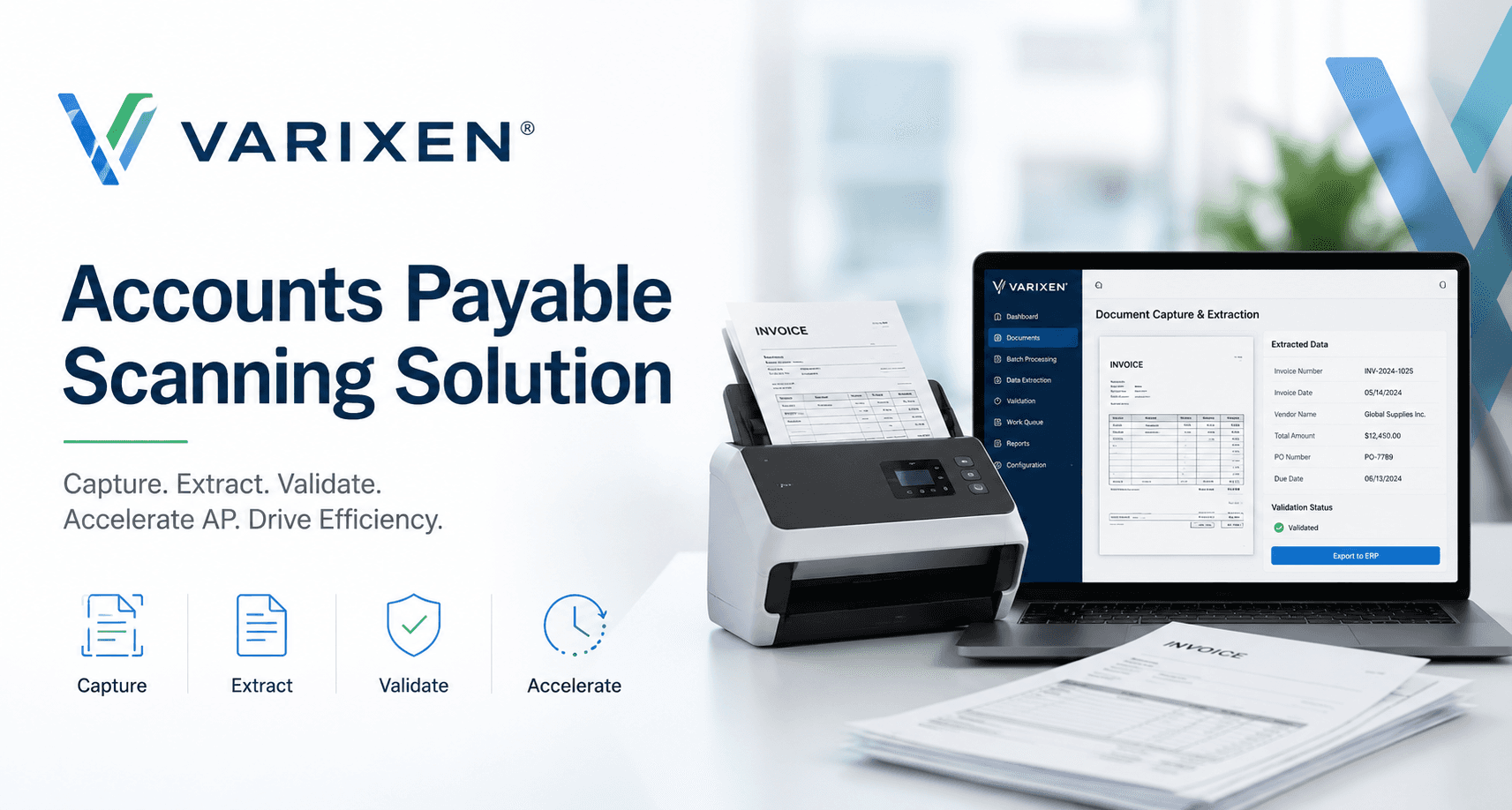
Modern enterprise finance requires a strategic shift. Deploying an advanced accounts payable scanning solution is no longer simply about digitizing paper into PDF files; it is about engineering an intelligent, end-to-end cognitive document automation pipeline that extracts structured data, executes deterministic business validation, reconciles line items against open purchase orders, and synchronizes directly with enterprise general ledgers.
Why Traditional Invoice OCR Fails at Enterprise Scale
To understand the necessity of modern document intelligence, one must examine why first-generation invoice OCR systems repeatedly break in production environments.
``````
Traditional OCR Workflow (Brittle):
[Scanned Image] ➔ [Rigid Coordinate Box Grid] ➔ [Raw Character String] ➔ [Template Breaks] ➔ [Manual Entry]
Modern AI AP Workflow (Resilient):
[Multi-Channel Ingestion] ➔ [Vision-LLM Layout Parser] ➔ [Deterministic 3-Way Match] ➔ [HITL Exception Queue] ➔ [ERP Auto-Post]
`
1. The Template Brittleness Trap Legacy OCR solutions rely on geometric bounding boxes and coordinate-based templates. An administrator must build a custom template for every individual vendor layout, defining exact coordinates (X/Y pixels) where the invoice number, subtotal, and vendor name reside. * When a vendor alters their logo, adds an extra header line, or introduces a multi-tier remittance slip, the template fails entirely. * Maintaining thousands of per-vendor templates across global supplier networks creates an unsustainable IT maintenance overhead.
2. Failure on Unstructured Line-Item Tables Invoices frequently span multiple pages, with table columns that wrap text unpredictably, omit cell borders, or split single line-item descriptions across multiple rows. Legacy OCR engines treat tables as disjointed text blocks, merging adjacent columns or truncating multi-line descriptions into garbled data.
3. Lack of Semantic Comprehension & Mathematical Validation Traditional OCR only performs character recognition—it has no understanding of accounting semantics. It cannot distinguish between an invoice number and a customer purchase order reference if they share similar numeric formats. Furthermore, it cannot perform mathematical reconciliation (e.g., verifying whether the sum of extracted line items plus freight and tax equals the stated total balance due).
OCR vs. Intelligent Document Processing (IDP): Architectural Differences
The transition from legacy scanning tools to an intelligent Finance AI solutions platform is rooted in fundamental architectural differences:
| Capability Matrix | Legacy Optical Character Recognition (OCR) | Modern AI Document Intelligence (IDP) |
|---|---|---|
| Ingestion Engine | Scanned TIF/PDF images only | Multi-channel: Email, PDF, TIFF, Portal APIs, Cloud Buckets |
| Parsing Methodology | Coordinate-based geometric bounding boxes | Vision-Language Foundation Models & Layout-Aware Tokenizers |
| Template Dependency | Requires pre-configured templates per vendor | Zero-shot & few-shot layout-agnostic parsing |
| Table Extraction | High failure rate on multi-page wrapping tables | Semantic boundary detection for complex, multi-page matrices |
| Reconciliation Logic | None (Isolated text output only) | Automated 2-way and 3-way matching against ERP purchase orders |
| Exception Handling | Manual export to CSV spreadsheets | Prioritized Human-in-the-Loop review queues with side-by-side diffs |
| ERP Integration | Batch flat-file / manual CSV import | Real-time, bi-directional REST / SOAP API synchronization |
| Security & Privacy | Public SaaS APIs or unencrypted local drives | Dedicated private VPC cloud enclaves with zero model retraining |
The 6-Stage Accounts Payable Scanning & Automation Pipeline
An enterprise-grade AP scanning and automation pipeline transforms raw document pixels into verified, general ledger-posted accounting entries through six synchronized stages:
Stage 01: Multi-Channel Document Ingestion & Deduplication
The pipeline continuously monitors inbound invoice channels:
Dedicated Email Mailboxes*: Secure IMAP/Microsoft Graph API listeners extract attachments from ap-invoices@company.com
During ingestion, documents undergo automated document classification, page orientation correction, noise reduction, and cryptographic hashing to immediately identify duplicate submissions before processing.
Stage 02: Vision-LLM Layout Parsing & Field Extraction Rather than flattening the document into unformatted plain text, layout-aware vision models analyze the spatial geometry and visual hierarchy of the page. The model extracts: Header Metadata*: Invoice number, invoice date, due date, payment terms (e.g., Net 30, 2% 10 Net 30), currency code, and PO numbers. Entity Verification*: Vendor business name, remittance address, tax registration number (VAT/EIN), and banking IBAN/routing numbers. Line-Item Arrays*: Item SKU, line description, unit of measure (UOM), unit price, billed quantity, and extended line totals. Tax & Remittance Breakdown*: State/provincial sales tax, VAT/GST line rates, freight charges, discounts, and final balance due.
Every extracted token is assigned a probabilistic confidence score based on visual clarity and linguistic context.
Stage 03: Deterministic Accounting Validation Extracted data is passed to a deterministic validation engine that enforces foundational accounting equations:
$$ \\text{Total Balance Due} = \\sum (\\text{Line Item Quantities} \\times \\text{Unit Prices}) + \\text{Tax} + \\text{Freight} - \\text{Discounts} $$
If the computed line sum deviates from the extracted total by even a single cent, the invoice is flagged for review, preventing rounding anomalies and partial extraction errors from corrupting the financial ledger.
Stage 04: Automated 2-Way and 3-Way PO Reconciliation Once invoice data is mathematically validated, the system queries the ERP database in real-time to execute automated matching: 2-Way Matching*: Cross-references the invoice against the open Purchase Order (PO) to verify that unit prices and quantities match authorized amounts. 3-Way Matching*: Cross-references the invoice against both the open Purchase Order and the warehouse Goods Receiving Note (GRN) / Receiving Log to confirm that items were physically delivered and accepted before disbursement.
``````
3-Way Match Verification Flow:
[Vendor Invoice: $91,832.50] ◄═══► [ERP Purchase Order: PO-77402]
              ▲                                 ▲
              ║                                 ║
              ╚══════════► [Warehouse GRN-10492] ◄╝
``````
Stage 05: Human-in-the-Loop (HITL) Exception Management Invoices that satisfy all extraction confidence thresholds and 3-way matching criteria pass straight through to ledger posting with zero human intervention.
When an invoice exhibits a price variance, quantity discrepancy, or low extraction confidence score, it is routed into an ergonomic exception management workspace: Side-by-Side Verification*: Reviewers view the original high-resolution PDF document on the left and the extracted editable form fields on the right, with visual bounding boxes highlighting the exact source of each field. One-Click Corrections*: AP clerks can click directly on the PDF document to populate or update fields. Feedback Loops*: Reviewer adjustments can be used to refine custom domain models deployed through custom AI model development.
Stage 06: Bi-Directional ERP Subledger Synchronization Approved invoices are structured into standard accounting payloads and posted directly into the enterprise general ledger (GL) subledger via secure REST or SOAP endpoints. The platform assigns predicted GL expense accounts and department cost centers, generates the voucher record, queues payment runs, and updates status flags across both systems.
Duplicate Invoice Detection and Fraud Prevention
Duplicate payments represent a significant financial loss for high-volume enterprise finance operations. Traditional ERP duplicate checks are often rudimentary—they typically only flag identical matches on invoice number and exact vendor ID. Fraudulent actors or accidental vendor resubmissions easily circumvent these checks by appending a leading zero, adding a suffix (e.g., -A), or altering the invoice date.
An intelligent AP scanning system employs multi-layered anomaly detection algorithms:
1. Fuzzy String Matching: Evaluates phonetic and Levenshtein distance across invoice numbers (e.g., identifying that INV-99481 and INV99481 represent the same transaction).
2. Composite Attribute Fingerprinting: Calculates hash signatures across vendor tax ID, total amount, PO reference, and line-item totals.
3. Cross-Channel Deduplication: Ensures that an invoice received via email is immediately flagged if the vendor later uploads the same document through a supplier self-service portal.
4. Bank Account Modification Safeguards: Detects changes in vendor remittance bank accounts or routing numbers, enforcing dual-control sign-offs before disbursements are queued.
ERP Integration Architecture: SAP, NetSuite, Dynamics & Workday
An accounts payable scanning platform cannot operate as a disconnected software silo. It must maintain deep, bi-directional connectivity with core enterprise resource planning (ERP) platforms.
``````
┌────────────────────────────────────────────────────────┐
│             Varixen Finance AI Control Plane           │
│  (Vision Ingestion · 3-Way Match · Exception Routing)  │
└──────────────────────────┬─────────────────────────────┘
                           │
    ┌──────────────────────┼──────────────────────┐
    ▼                      ▼                      ▼
┌───────────────┐  ┌───────────────┐  ┌───────────────────────┐
│ SAP S/4HANA   │  │ Oracle        │  │ Microsoft Dynamics    │
│ (BAPI / OData)│  │ NetSuite      │  │ 365 (Dataverse)       │
└───────────────┘  │ (SuiteTalk)   │  └───────────────────────┘
                   └───────────────┘
``````
1. SAP S/4HANA & SAP ECC
* Integrates via SAP BAPI (BAPI_INCOMINGINVOICE_CREATE
2. Oracle NetSuite * Direct synchronization via NetSuite SuiteTalk REST and SOAP Web Services. * Automatically creates Vendor Bills, binds them to parent Purchase Orders, allocates subsidiary cost centers, and updates line-item receipt status flags.
3. Microsoft Dynamics 365 (Finance & Operations / Business Central) * Interfaces through native Dataverse connectors, OData endpoints, and Recurring Integrations APIs. * Automates vendor invoice journal batch posting and enforces approval workflows aligned with Dynamics organizational hierarchies.
4. Workday Financial Management * Connects through Enterprise Interface Builder (EIB) and Workday REST Web Services. * Enables supplier invoice creation, accounting worktag distribution, and settlement queue management.
Financial Controls, SOX Compliance & Data Governance
Finance is a highly regulated domain. When introducing AI automation into the invoice-to-pay workflow, controllers and internal auditors require strict adherence to governance frameworks:
- Immutable Audit Trails: Every document ingestion event, OCR extraction value, confidence score, user modification, and manager sign-off is logged with UTC timestamps and user IDs. These logs provide complete traceability for Sarbanes-Oxley (SOX) compliance audits.
- Role-Based Access Control (RBAC): Fine-grained permissions ensure that invoice data is compartmentalized. AP clerks, accounting managers, department approvers, and external auditors only have access to authorized financial records.
- Dual-Authorization Controls: Configurable corporate governance rules ensure that invoices exceeding defined monetary thresholds (e.g., >$100,000) require secondary executive sign-offs before ERP release.
- Private VPC Cloud Isolation: Unlike consumer AI tools that transmit enterprise documents to public shared endpoints, Varixen deploys document processing pipelines inside dedicated, private cloud perimeters on AWS, Azure, or GCP. Proprietary corporate financial records are never used to train public models.
When Should an Organization Deploy an AP Scanning Solution?
Enterprise leaders evaluating an investment in accounts payable automation should assess several key operational indicators:
``````
Operational Readiness Checklist:
[ ] Monthly invoice volume exceeds 1,000 documents
[ ] AP processing cycle time exceeds 5 business days
[ ] Frequent loss of early-payment supplier discounts (e.g., 2% 10 Net 30)
[ ] High rate of supplier inquiries regarding payment status
[ ] Heavy reliance on manual line-item entry and physical paper routing
[ ] Complex multi-subsidiary or multi-currency accounting operations
``````
If your organization checks three or more of these criteria, deploying an intelligent accounts payable automation platform delivers immediate return on investment by compressing cycle times from weeks to minutes, reducing processing friction, and providing real-time visibility into enterprise cash liabilities.
Furthermore, connecting accounts payable intelligence with upstream AI procurement automation creates a unified procure-to-pay ecosystem that prevents rogue spending, enforces contract compliance, and strengthens working capital management.
How Varixen Engineers Enterprise Finance AI
Varixen does not sell rigid, one-size-fits-all SaaS software that forces your accounting teams to alter proven business practices. We operate as an enterprise AI engineering partner, architecting bespoke document intelligence and finance automation solutions tailored to your technical stack:
- 1Domain-Adapted Foundation Models: We fine-tune vision-language parsers on your specific historical invoice repositories, international vendor layouts, and specialized line-item vocabularies.
- 2Resilient Middleware & ERP Connectors: We build idempotent, fault-tolerant integration pipelines that connect directly to your on-premise or cloud ERP systems with full error rollback protection.
- 3Autonomous Agent Swarms: For complex reconciliation and cross-department approvals, we engineer autonomous AI agents that communicate across departments, verify compliance, and draft contextual communication for vendor inquiries.
- 4Enterprise MLOps & Security Enclaves: We deploy the entire processing pipeline inside your private cloud perimeter backed by enterprise MLOps infrastructure, ensuring absolute data confidentiality, SOC2 compliance, and 99.9% uptime SLAs.
Next Steps: Modernize Your Finance Workflows
Transitioning from manual invoice entry to autonomous accounts payable intelligence is one of the highest-ROI digital transformation initiatives an enterprise can undertake.
To explore how Varixen can architect a custom Accounts Payable Scanning Solution and Finance AI platform for your organization, visit our Finance AI solutions department page or connect with our engineering team for an architectural assessment.
Explore the Commercial Solution: Learn more about our enterprise capability on the official Varixen Finance AI & Accounts Payable Platform.`